
Introducing Moments: A New Way to Share, Connect, and Start Conversations
Your profile tells people who you are. Moments show them what you're actually like — right now, today. Here's how our newest feature works.
We noticed something. Matches go quiet.
Not because people lose interest. Not because the conversation was bad. Just because life gets in the way, the chat slides down the list, and eventually neither person knows how to start back up without it feeling forced. Nobody wants to send a random "hey!" into the void three weeks later. So they don't. And a connection that could have been something just quietly disappears.
That's the problem we built Moments to solve.
What is Moments?
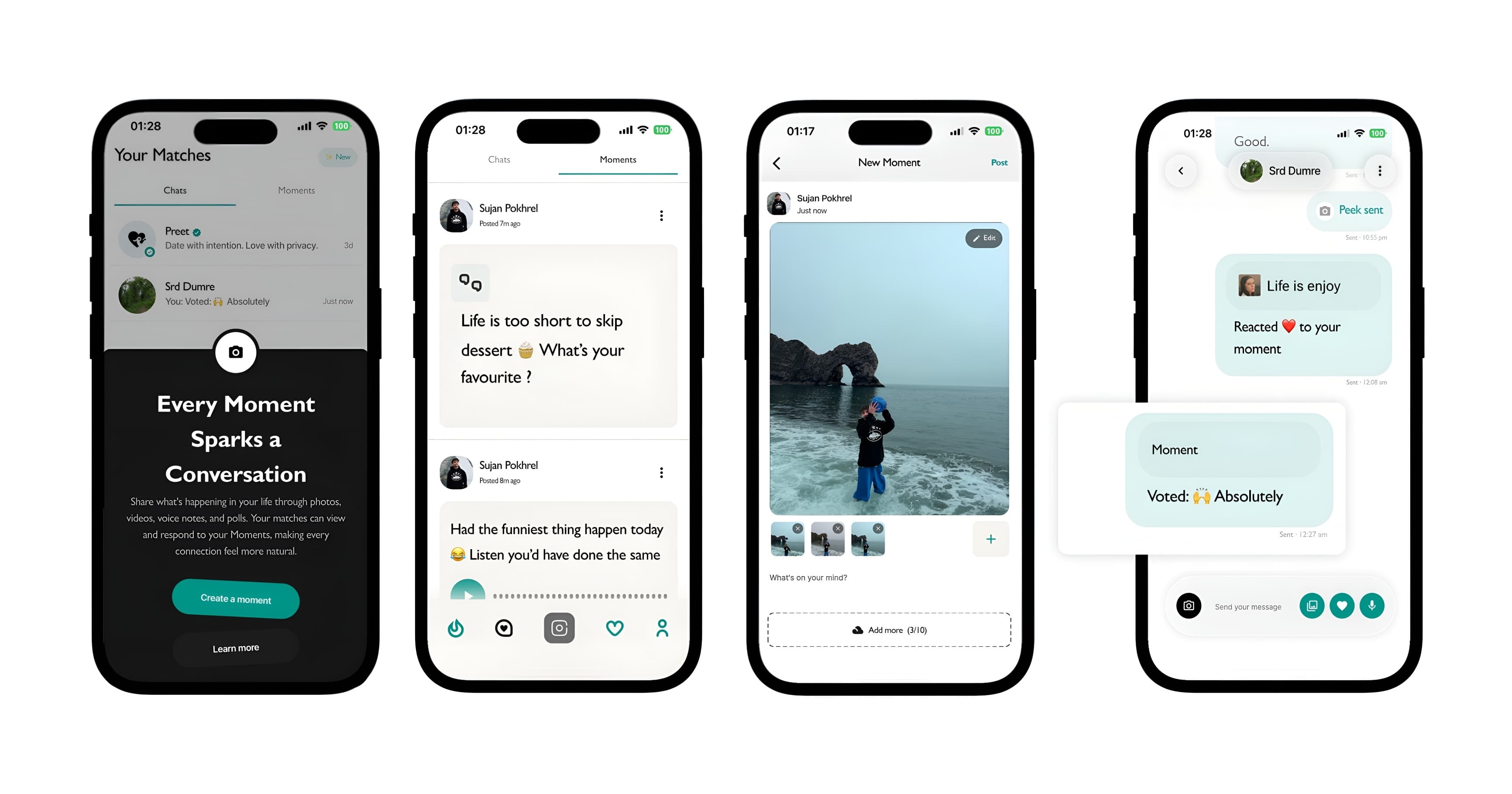
Moments is a private feed inside Preet — only your matches can see it — where you can share photos, voice notes, polls, or just a thought. When a match sees something you posted and reacts to it, that reaction lands directly in the conversation thread you already have with them. No new inbox. No extra steps. The conversation just picks back up, naturally, without either of you having to make an awkward first move.
Four formats. Nothing complicated.
Photos. Something from your day. A place you went. Whatever made you smile. It doesn't have to be polished — in fact the less curated it feels, the more people respond.
Voice notes. This one surprised us. There's something about hearing someone's actual voice before you've met them — their energy, their humour, the way they laugh — that changes how real the connection feels. A thirty-second voice note does more than a dozen typed messages ever could.
Polls. Ask your matches something. Tea or coffee. Would you rather. What should I do about this situation. Their vote drops into your chat automatically, and suddenly there's a real conversation without either of you having to manufacture one.
Text. A thought. A question. Something you read. Sometimes you just want to say something without a photo attached to it.
It's private. Only your matches can see it.
This isn't a public feature. It's not visible to people browsing the app or anyone who swiped on you. Only the people you've mutually matched with can see your Moments feed — and you can only see theirs.
Privacy changes how you post. When you know exactly who's watching, you post more honestly. You're not performing for an algorithm. You're just sharing something small with a group of people who already have a connection with you.
How to find it
Open Preet and go to the Chats tab. You'll see a Moments section at the top. Tap it to see what your matches have been up to, and use the compose button to post your own.
If a match reacts or comments on something you posted, it shows up in your existing chat with them — just like a regular message. From there, the conversation is yours.
Give it a try
Post something today. A question, a photo, a voice note — anything. See what comes back. You might be surprised which conversations find their way back to life.